Navigating Smart TV Operating Systems
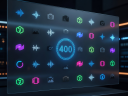
The modern television is no longer just a passive display monitor; it is a fully integrated digital hub running complex operating systems. The software powering your television dictates how easily you can find content, which streaming applications are natively supported, and how the display communicates with other smart home devices. Selecting a TV means committing to a specific software ecosystem.
Proprietary vs. Licensed Platforms
The market is broadly divided between manufacturers who develop their own proprietary software and those who license third-party operating systems.
Proprietary systems are meticulously optimized for the manufacturer's specific hardware. Because the software and hardware are developed in tandem, these interfaces often feel highly responsive and deeply integrate with the television's hardware settings, allowing users to adjust picture parameters seamlessly without interrupting their viewing experience. The design philosophy of these systems often centers around minimizing intrusion, utilizing overlay menus rather than forcefully taking over the entire screen.
Licensed operating systems, developed by major software and search companies, take a different approach. They function as comprehensive content aggregators. Their primary strength lies in their massive app ecosystems and superior search algorithms. Because they are backed by immense software infrastructures, these platforms often feature highly accurate voice assistants capable of parsing complex queries and controlling a wide array of compatible smart home devices.
Content Aggregation and User Interface
A significant trend across all modern smart platforms is the shift toward full-screen, content-first interfaces. Rather than simply displaying a grid of applications (like a smartphone), smart TVs increasingly attempt to curate specific movies, shows, and live broadcasts directly on the home screen. This aggregation pulls data from multiple streaming subscriptions, allowing users to resume watching a show without first navigating into the specific provider's app.
While convenient, this heavily curated approach often relies on user tracking and advertising. Large portions of the home screen estate on nearly all modern platforms are dedicated to sponsored content, promoted applications, and targeted advertising based on viewing habits. Navigating these interfaces requires balancing the convenience of aggregated suggestions against the clutter of promotional banners.
Performance and Longevity
The longevity of a smart platform is heavily dependent on the internal processor of the television. Entry-level displays often feature underpowered processors, leading to sluggish menu navigation, delayed input responses, and long app loading times. Premium models invest in robust chipsets that ensure the software remains fluid even after several years of updates.
Software support life cycles vary widely. While major licensed platforms typically receive updates for many years, some proprietary systems may stop receiving major feature updates or support for new streaming applications after three to four years. When native apps become obsolete or sluggish, many users opt to bypass the built-in software entirely.
The External Streaming Device Alternative
It is important to remember that you are never entirely locked into the built-in operating system. If a television's native platform is slow, lacks a specific application, or becomes outdated, you can easily connect an external streaming dongle or set-top box via HDMI. These external devices often feature superior processing power, cleaner interfaces, and longer software support cycles compared to the television's native software.
Therefore, while the smart platform is a crucial component of the user experience out of the box, it should not be the sole deciding factor in a purchase. Panel quality, backlight technology, and processing capabilities remain paramount, as a frustrating interface can be cheaply bypassed, but a subpar display panel cannot be fixed.